Computer Vision Fundamentals
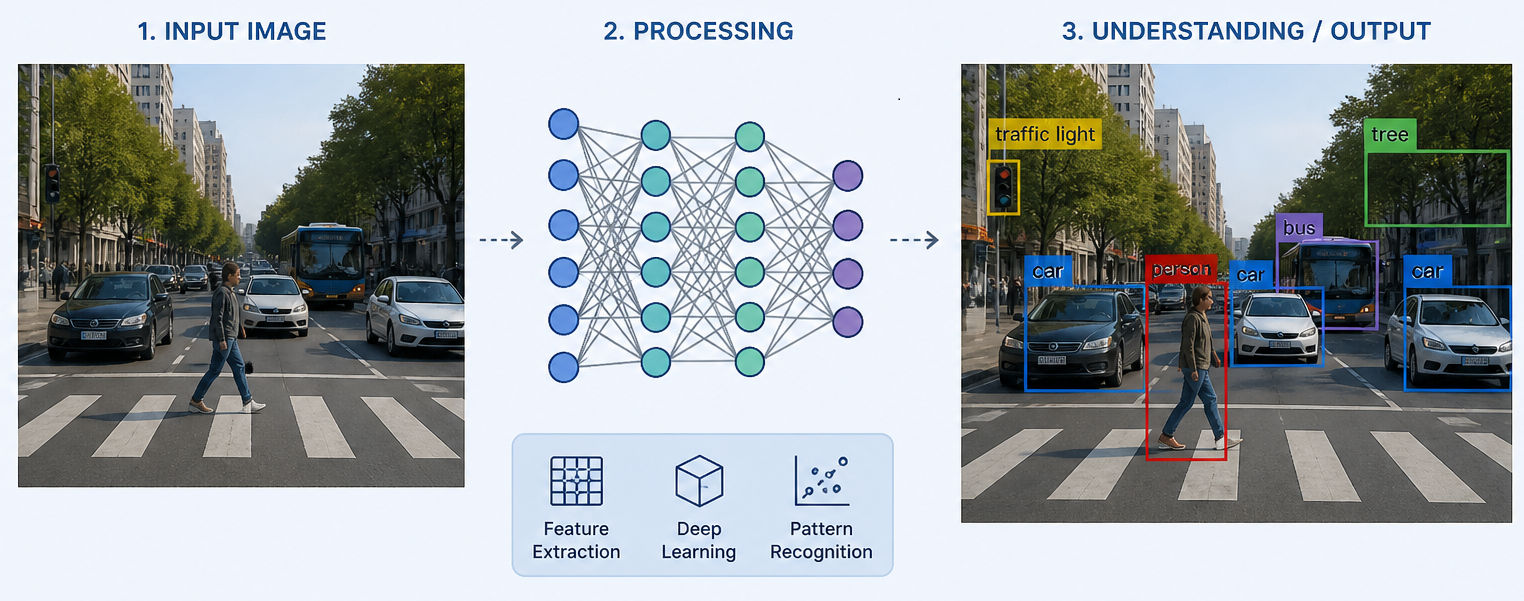
Computer vision is a field in AI focused on developing algorithms and techniques that allow computers to understand images and videos.
The main purpose of computer vision is to analyze and understand the visual world the way humans do. To achieve this, it is necessary to develop algorithms and techniques to perform tasks such as object detection, pattern recognition, and image segmentation.
There are a lot of applications like surveillance, automotive industry, agriculture, medicine, logistics, and retail.
Before we continue, it’s important to know how images work and some key concepts.
What an image actually is
For this example, I am going to use a GRAYSCALE image.
When you open an image in an image editor like GIMP and you try to zoom in as much as possible, you will see squares of different shades like this:
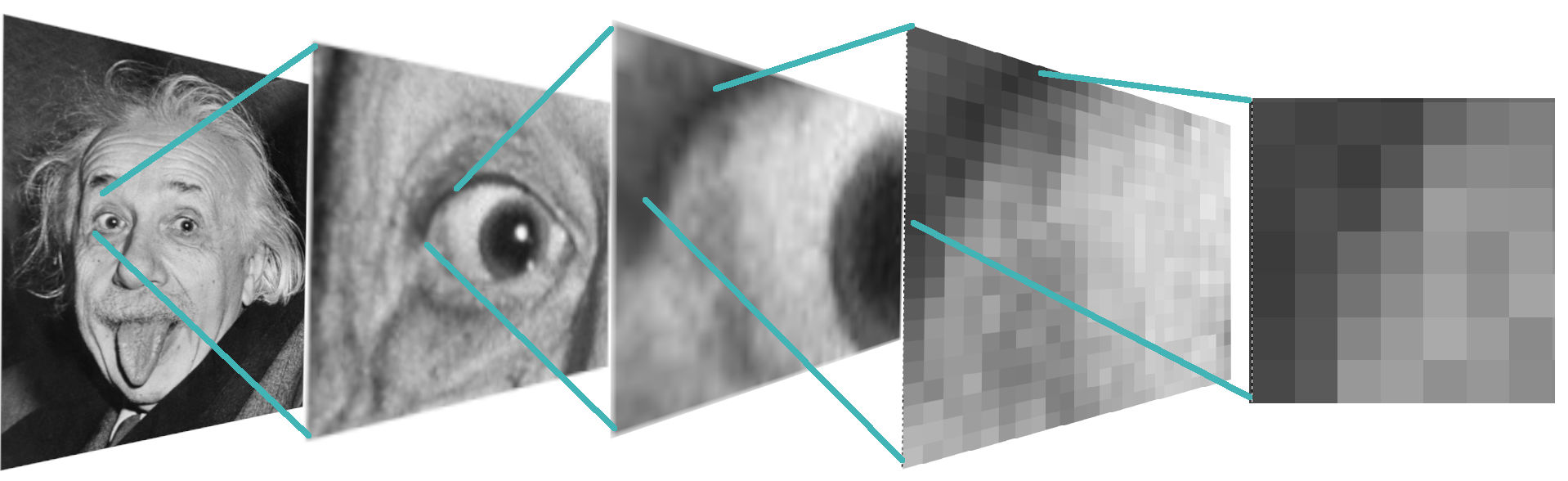
As you can see, that grayscale image is just a bunch of squares with different gray variations. If the image has a width of 500 and a height of 500 pixels, the amount of squares would be 250,000 squares with different shades to create the image.
This grayscale image at the machine level is represented as a matrix of values that go from 0 to 255.
- 0 is black color
- 255 is white color
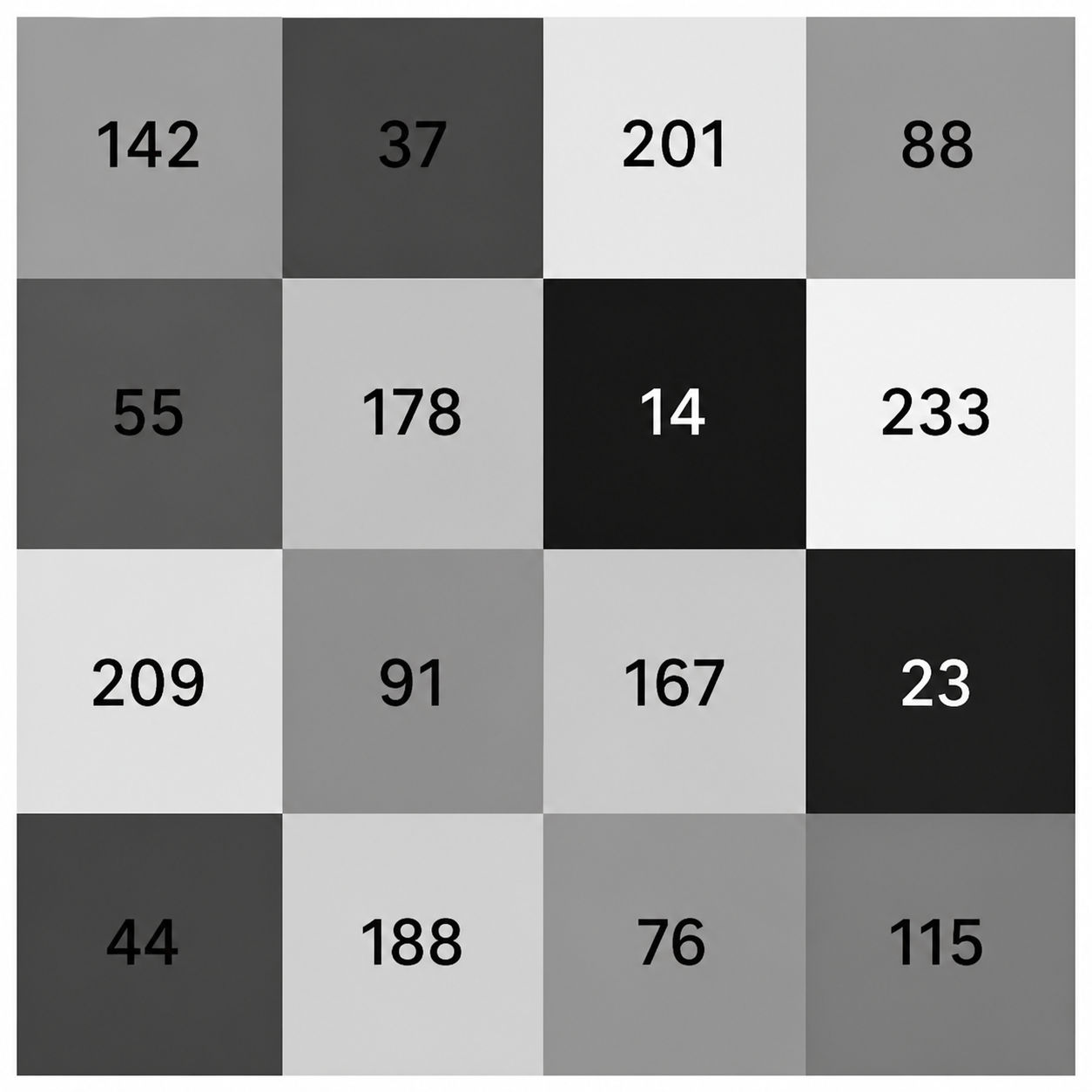
Since GRAYSCALE images are just a matrix with numbers that go from 0 to 255, a small part of the image could look like this:
Every number represents a square of the image. Now imagine a matrix with 500 columns and 500 rows — that is 250,000 values just to store a single image.
This is the visual representation of each shade: the closer to 0, the darker it is, and the closer to 255, the lighter it becomes.
Kernel
As you read earlier, a grayscale image is a huge matrix.
A Kernel is a small matrix, and usually kernels have odd dimensions like 3*3, 5*5, and 7*7, because they allow for a central pixel.
That central pixel is important because it serves as the reference point for the calculation — the kernel reads the surrounding pixels and uses them to compute a new value for the center.
Nowadays, 3*3 kernels are mostly used.
Convolution
In mathematics, a convolution is an operation between two functions:
For this article, we can think of it in a more concrete way:
- The image is the first function
- The kernel is the second function
Convolution means sliding the kernel over the image and, at each position, multiplying the overlapping values and summing them to produce a new value. In image processing, this operation is often called convolution even though it is technically cross-correlation — the difference is that true convolution flips the kernel first.
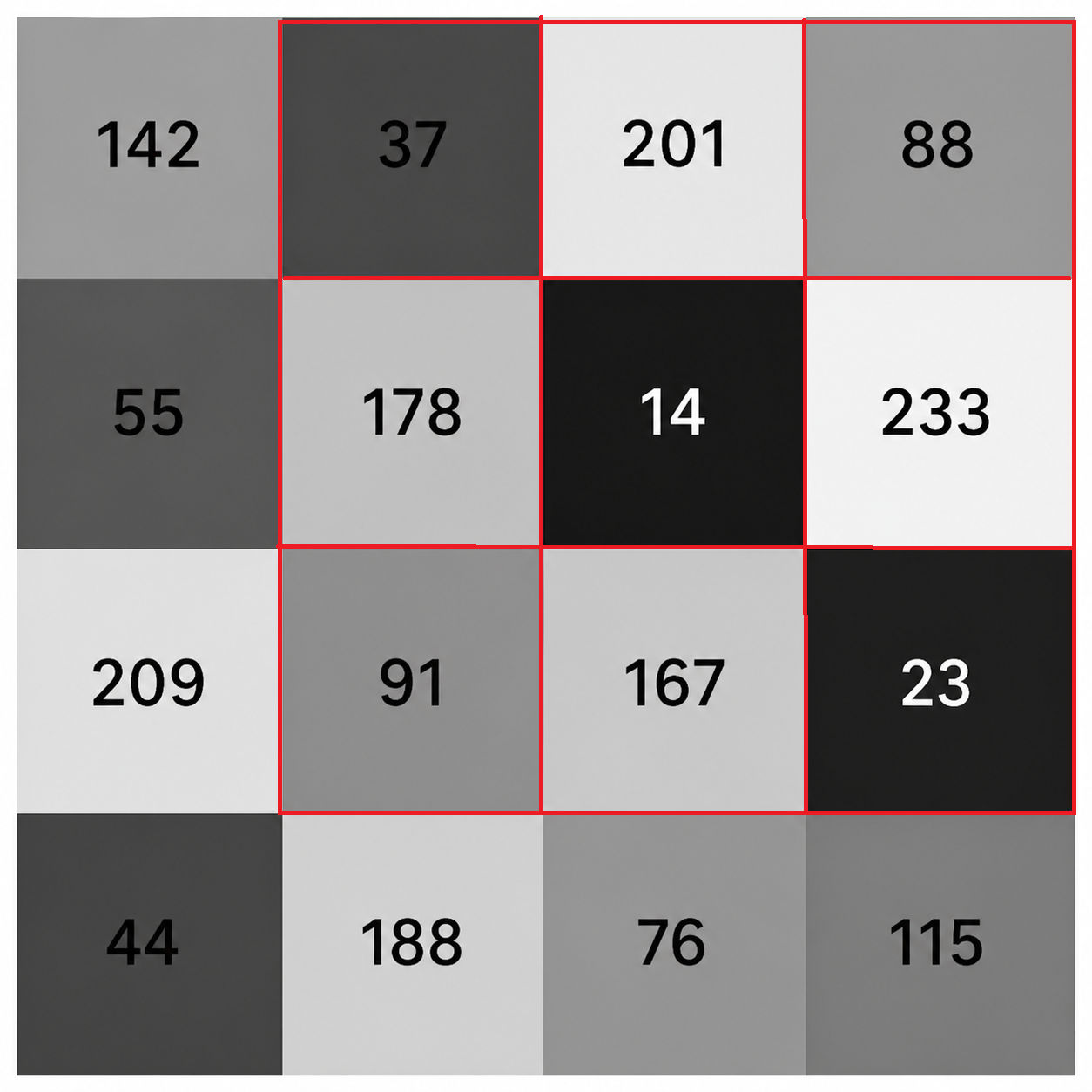
Let’s use the previous image as an example. The kernel slides from left to right and top to bottom, one step at a time, like this.
Starting from the top-left corner, a 3*3 kernel (red matrix) is placed on top of the image:
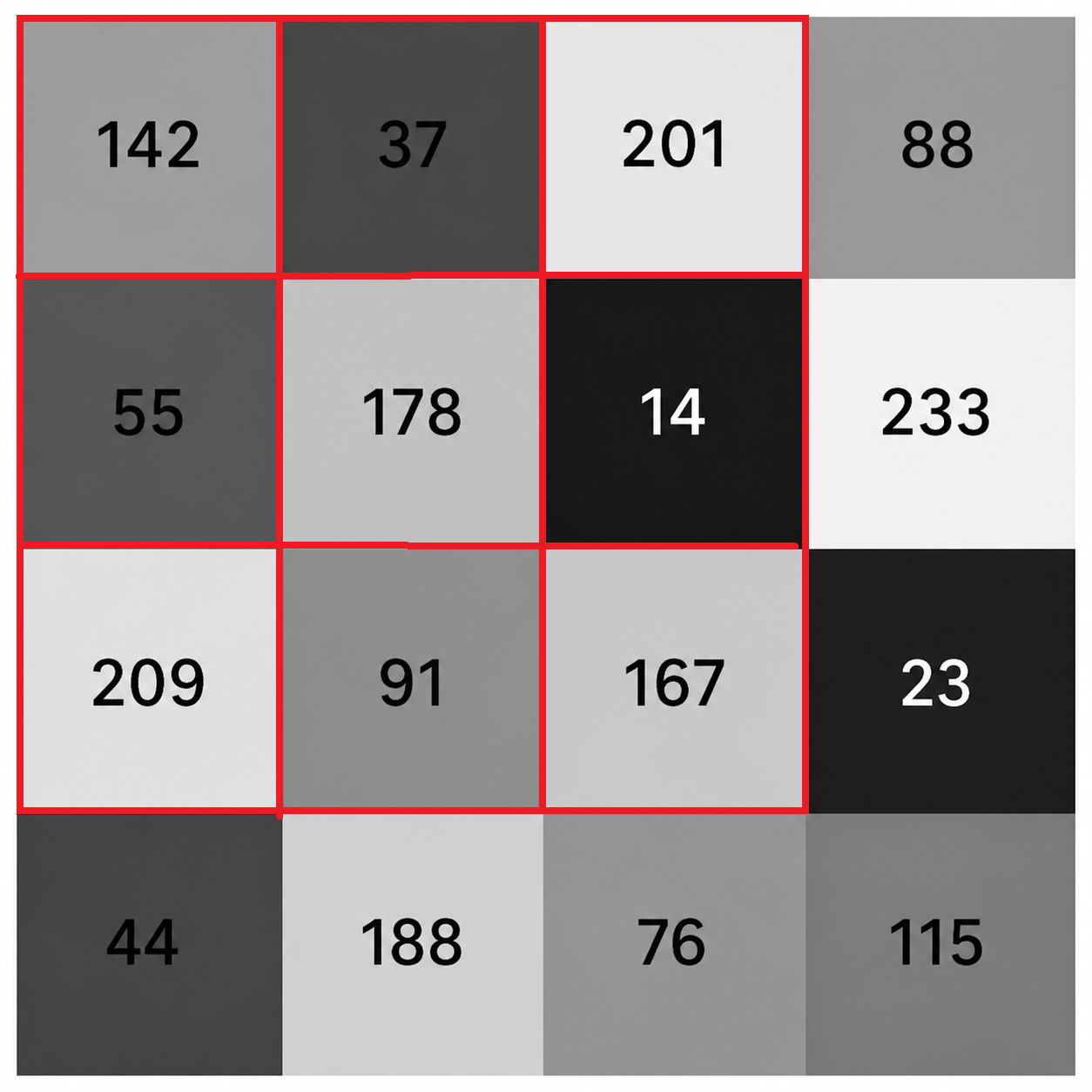
The values covered by the kernel are:
The kernel (red matrix) then shifts one step to the right and reads the next patch:
These three concepts — pixel matrices, kernels, and convolution — are the building blocks behind most image processing operations. Once you understand how a kernel slides over an image and transforms its values, techniques like blurring, sharpening, and noise filtering all follow the same pattern.
Go to the next article to understand how to use these concepts